
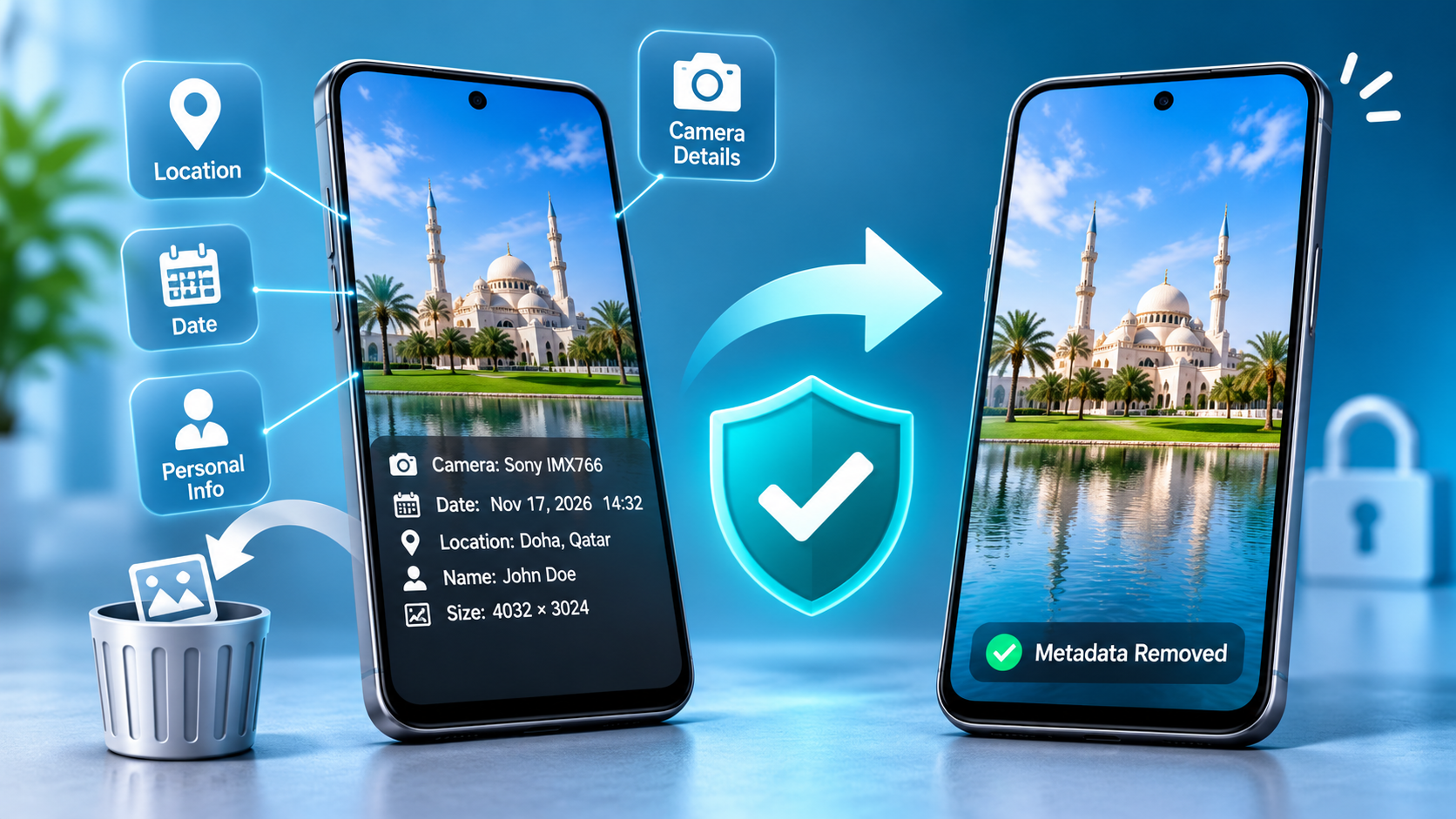
Photos are a big part of our daily lives. We take pictures with our phones, share them with friends, and upload them to social media. We also use photos on websites, blogs, and online marketplaces. However, many people don't know that their photos can contain hidden information.
This hidden information is called metadata. It can include details about when a photo was taken, which device was used, and sometimes where the picture was captured. Although this information can be useful, it can also create privacy risks.
Therefore, removing metadata from photos before sharing them online is a good habit. It helps you protect your personal information and gives you more control over your images.
In this guide, you'll learn what photo metadata is, why it matters, and how to remove it easily.
What Is Metadata in Photos?
Metadata is information stored inside an image file. It describes details about the image, the device, or the process used to create it. Most smartphones and digital cameras automatically add this information when you take a picture.
You may not see metadata when you open a photo. However, it can still be stored inside the image file.
For example, a photo may contain:
- The date and time the picture was taken.
- The camera or smartphone model.
- The location where the photo was captured.
- The image dimensions and file size.
- The software used to edit the picture.
- The name of the photographer or creator.
Some of these details are useful for organizing photos. However, others may reveal information you don't want to share publicly.
For example, a picture taken inside your home may contain location information. If you upload that photo without checking it, you could share more information than you intended.
That's why checking and removing unnecessary metadata can help protect your privacy.
Why Should You Remove Metadata Before Sharing Photos?
Sharing photos online is easy. However, protecting your personal information is equally important. Metadata may contain details that you would rather keep private.
Here are some important reasons to remove metadata before uploading your photos.
1. Protect Your Location Privacy
Some photos contain location information. This information may show where you took the picture. For example, a photo taken at home could contain your home location.
Similarly, pictures taken at school, work, or other private places may contain location details.
Sharing these images publicly could expose your location to others. Therefore, removing location information before sharing photos is a simple way to reduce this risk.
2. Keep Your Personal Information Private
Photos may contain more information than you can see. Metadata can sometimes include device details, timestamps, and creator information.
Although these details may not seem important, you may not want strangers to see them.
For example, you might share personal pictures on Facebook, Instagram, or a public website. Removing unnecessary information can help you share images with greater confidence.
3. Protect Your Photos When Selling Online
Many people sell products through online marketplaces. They upload photos of clothes, electronics, furniture, and other items.
However, these photos may contain hidden information. For example, a product picture taken at home could contain location details.
Therefore, cleaning your photos before uploading them can help protect your privacy. It is especially useful when you sell products online or publish pictures publicly.
4. Share Photos More Safely on Social Media
Social media platforms make photo sharing simple. However, you should not assume that every platform handles image information in the same way.
Some platforms remove certain metadata during processing. Others may handle image information differently. Their policies and technical processes can also change.
Therefore, it's better to clean your photos before uploading them. This gives you more control over the information included in your image files.
How to Remove Metadata from Photos Before Sharing Online
You can remove metadata from photos using different methods. You don't need to be a technical expert. Most methods are simple and take only a few minutes.
Let's explore some easy ways to clean your photos.
Method 1: Use an Online Photo Metadata Remover
An online photo metadata remover is one of the easiest ways to clean image files. You don't need to install software or learn complicated steps.
You can use an online tool directly from your browser. This method works well for people who want to clean photos quickly.
Follow these simple steps:
- Open an online photo metadata remover website.
- Select the photo you want to clean.
- Upload your image to the tool.
- Wait for the cleaning process to finish.
- Download the cleaned image.
- Open the downloaded photo and check it.
- Share the cleaned image online.
You can try AI Label Remover to access online tools for cleaning images and removing unwanted information.
Online tools can save time because you don't need to install anything. However, always check the website's privacy policy before uploading sensitive photos.
If you are cleaning personal or private images, choose a tool that clearly explains how it handles uploaded files.
Method 2: Remove Metadata from Photos on Windows
Windows includes a built-in option for removing some metadata from image files. You can use this feature without installing additional software.
Follow these steps:
- Find the photo on your Windows computer.
- Right-click the image.
- Select Properties from the menu.
- Open the Details tab.
- Click Remove Properties and Personal Information.
- Choose the information you want to remove.
- Click OK to continue.
Windows may offer two options. You can remove selected information from the original file or create a copy with removable properties deleted.
If you want to keep your original photo unchanged, choose the copy option when available.
Afterward, open the cleaned image and check whether it looks correct. Then, you can share it online.
Method 3: Remove Metadata from Photos on Mac
Mac users can also check image information before sharing photos. The Preview application allows you to view certain image details.
However, Preview does not provide a universal built-in option for removing every type of metadata.
You may need a dedicated cleaning tool to remove additional information.
Here's what you can do:
- Find the image you want to clean.
- Open the image using Preview.
- Check the available image information.
- Use a trusted image-cleaning tool if you need to remove metadata.
- Save or download the cleaned image.
- Check the image before sharing it.
This method is helpful if you regularly use a Mac to manage your photos.
Method 4: Remove Metadata from Photos on Your Smartphone
Most people take pictures using their smartphones. Therefore, they often share images directly from their phones.
You can check your photo settings to see whether your camera saves location information.
On many Android phones, you can open the camera settings and look for a location-tagging option. You may be able to turn it off before taking new pictures.
On an iPhone, you can manage location access through the privacy settings. You can also check location-sharing options when sharing certain photos.
However, turning off location tagging only affects certain information added to new photos. It does not automatically remove all metadata from pictures you already have.
Therefore, if you want to clean existing images, use a suitable metadata-removal tool.
Method 5: Remove Metadata Before Uploading Photos to Websites
Website owners, bloggers, content creators, and online sellers often upload images every day.
For example, you may upload photos to WordPress, Blogger, Facebook, Pinterest, or an online store.
Before uploading your images, follow these simple steps:
- Check the image for unnecessary information.
- Remove location details if they are present.
- Clean the image using a trusted tool.
- Download or save the cleaned version.
- Upload the cleaned photo to your website.
This process can help you avoid sharing unnecessary personal information.
Moreover, it can become part of your regular content-uploading routine. You can clean your images before publishing blog posts, product listings, or social media content.
Does Removing Metadata Reduce Photo Quality?
Many people worry about losing photo quality when removing metadata. Fortunately, metadata removal usually does not affect the visual quality of an image.
Metadata is information stored inside the image file. Removing this information generally does not change the visible picture.
For example, your photo can still look the same after removing its date, camera information, or other details.
However, some tools may resize, compress, or re-encode images during processing. This can sometimes change the image quality.
Therefore, choose a tool that clearly explains its process. If image quality matters, compare the original and cleaned versions before sharing.
Can Social Media Remove Metadata Automatically?
Some social media platforms may remove certain metadata when users upload photos. However, this behavior can vary between platforms and file types.
You should not rely entirely on automatic removal. Platform policies, processing methods, and privacy features may change over time.
Moreover, you may share photos through messaging apps, websites, email, or other services. These services may handle image information differently.
Therefore, cleaning your images before uploading them is a better way to control the information you share.
What Should You Check Before Sharing a Photo?
Before uploading a picture, take a few seconds to check it. This small habit can help you avoid sharing unwanted information.
Here are some things to consider:
- Location: Check whether the photo contains location details.
- Personal information: Look for information you don't want others to see.
- Image quality: Make sure the cleaned image still looks good.
- File type: Confirm that the image works with your website or platform.
- Privacy: Choose a tool with a clear privacy policy.
These simple checks can help you share photos more safely.
Final Thoughts
Photos can contain hidden information that you may not notice. This information can include location details, camera information, timestamps, and other data.
Although metadata can be useful, it isn't always necessary when sharing pictures online. Removing unnecessary metadata can help protect your privacy.
Fortunately, cleaning photos is easy. You can use Windows settings, smartphone privacy options, Mac tools, or an online photo metadata remover.
Before sharing your next photo, take a moment to clean it. This simple step can help you protect your personal information while sharing pictures online.