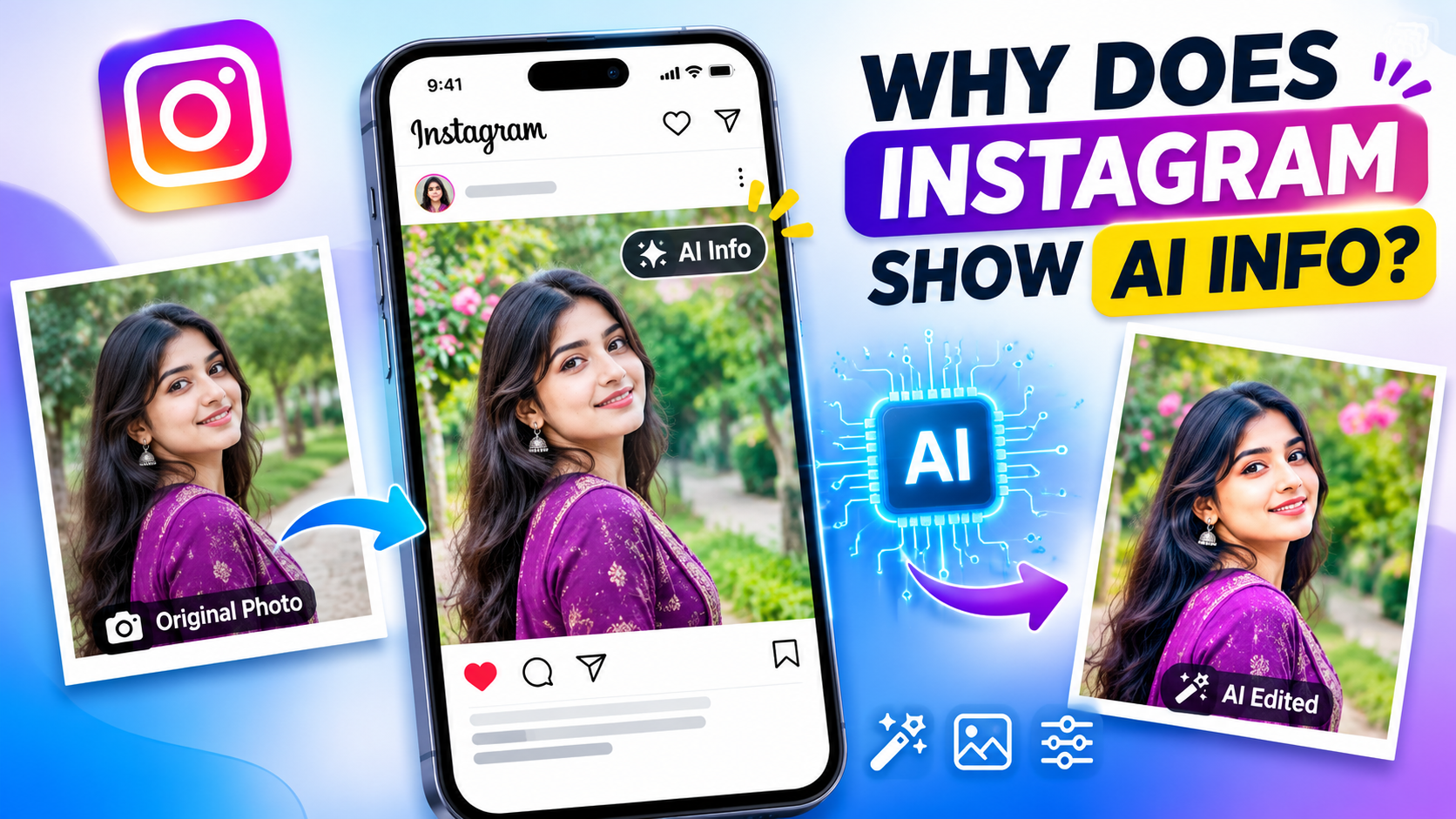
Have you ever uploaded a normal photo to Instagram and suddenly noticed an AI Info label on your post? You may feel confused, especially when you took the picture yourself using your phone or camera. You might wonder whether Instagram thinks your photo is fake or whether you did something wrong.
Don't worry. This can happen even when you take a real photo. Instagram uses different signals to identify images that may have been created or edited with artificial intelligence (AI). Sometimes, even a small edit made with an AI-powered tool can leave information inside the image file.
In this guide, you'll learn why Instagram shows the AI Info label on your photos, how Instagram detects AI content, and what you can do if your real photo gets this label. We'll also explain whether the label affects your account or post reach.
What Is the AI Info Label on Instagram?
The AI Info label is a notice that Instagram uses to tell people when a photo or other content may have been created or changed using artificial intelligence. Its main purpose is to help users understand how online content was made.
For example, imagine someone creates a realistic picture using an AI image generator and uploads it to Instagram. Other people may believe that the picture shows a real person or place. The AI label gives viewers extra information about the content.
Instagram is owned by Meta, which also owns Facebook and Threads. Meta introduced its AI labeling approach to make AI-generated content easier to identify. The company uses information from uploaded files and details shared by content creators to help identify AI involvement.
Facebook+1
You may see an AI label directly on a post or find AI information inside the three-dot menu, depending on the type of AI use Instagram detects.
The important thing to understand is that an AI Info label does not always mean your entire photo was created by AI. It can also appear when certain AI tools have been used to edit an original photograph.
Why Does Instagram Show the AI Info Label?
There are several reasons why Instagram may show an AI Info label on your photos. You do not always need to create an image using an AI generator to receive this notice.
Let's look at the most common reasons.
1. Your Photo Was Created Using AI
This is one of the main reasons for the AI label. If you create a picture using an AI image generator and upload it to Instagram, the platform may recognize that the image was made with AI.
For example, you might use ChatGPT, Midjourney, Adobe Firefly, or another AI image generator to create a beautiful landscape, portrait, or digital artwork. These tools can include information in the image file that helps platforms identify AI-generated content.
When Instagram detects supported AI information, it may automatically display an AI label on your post.
2. You Edited Your Photo With AI Tools
This is a common reason why people get confused about Instagram's AI Info label.
You might take a completely real photo and edit it using an application that includes AI-powered features. For example, you may remove an unwanted object, change the background, improve the lighting, or remove something from the picture.
Some editing applications add AI-related information to the saved image. When you upload that image, Instagram may detect the information and show an AI notice.
This does not mean your original photograph was fake. It simply means that the uploaded file contains information indicating that AI may have been used during editing.
Meta has previously explained that even minor AI modifications, such as retouching, could trigger its earlier AI labeling system.
Facebook+1
3. Your Photo Contains AI-Related Metadata
Another possible reason is hidden information inside your image file.
When you save or export a photo, the file may contain extra information about how it was created or edited. Some tools use industry standards such as Content Credentials to record details about an image's history.
Instagram can use supported signals from these systems to identify content that may have been created or modified using AI.
You cannot always see this information when opening a normal photo on your phone. However, it may still exist inside the file.
This is why a photo can look completely natural but still receive an AI label after you upload it.
4. You Added the AI Label Yourself
Instagram also allows users to disclose AI use when publishing certain types of content.
If you select an AI disclosure option while creating a post or Reel, Instagram can display an AI label for viewers.
Sometimes, creators add this label to be transparent about how their content was made. This can help their audience understand whether an image or video includes AI-generated elements.
Does the AI Info Label Mean My Photo Is Fake?
No. An AI Info label does not automatically mean your photo is fake.
This is one of the biggest misunderstandings about Instagram's AI labeling system.
Imagine taking a beautiful picture of yourself at the beach. After taking the picture, you use an editing application to remove a person standing in the background. The application uses AI to complete the missing area.
Your original photo is real, but part of the final image has been changed using AI technology.
Instagram may detect this information and show an AI notice.
The same thing can happen with background replacement, object removal, AI retouching, and other editing features.
You should remember that the label provides information about possible AI involvement. It is not a complete judgment about whether the photo or the scene is real.
How Does Instagram Detect AI-Generated Photos?
You may be wondering how Instagram knows whether a photo was created or edited using AI.
Instagram does not need to understand every detail of a picture to identify possible AI involvement. It can use information connected to the image file.
Here are two important ways this can happen.
1. Industry-standard signals: Some AI tools add information to image files that can help other platforms identify AI-generated or modified content. Content Credentials are one example of a system designed to record information about the origin and editing history of digital content.
2. Creator disclosure: Instagram can also use information provided by the person uploading the content. If a creator discloses AI use, the platform can display the relevant label.
Meta explained these methods in its official announcement about labeling AI-generated images on Instagram, Facebook, and Threads.
Facebook+1
However, these systems are not perfect. Not every AI-generated image contains information that Instagram can identify. This means some AI images may not receive a label, while some real photographs with AI-related editing information may receive one.
Can Real Photos Get an AI Info Label?
Yes! Real photographs can receive an AI Info label.
You do not need to use a complete AI image generator to experience this issue. Even if you capture a photo using your smartphone camera, the editing process may add information that Instagram recognizes.
For example:
- You use an AI tool to remove an unwanted object.
- You replace the original background with an AI-generated background.
- You use an AI feature to improve or change parts of a portrait.
- You edit your picture using an application that saves AI-related information.
These changes can create signals that Instagram may recognize.
If you receive an AI label on a real photograph, don't immediately assume something is wrong with your Instagram account.
Instead, check the information Instagram provides about the post. It may help you understand whether the label is connected to AI creation, editing, or a disclosure.
How to Remove or Avoid the AI Info Label on Instagram
If Instagram adds an AI label to your real photo, you may want to know how to remove it.
First, understand that Instagram may add labels automatically when it detects certain AI-related signals. There is no guaranteed setting that allows you to switch off an automatically applied label.
However, you can take a few steps to understand the issue and manage your future uploads.
1. Check Your Photo Before Uploading
Before uploading a photo, check which application you used to edit it.
If you used AI-powered editing features, the exported file may contain information about those changes.
You can also compare the original photo with the edited version to understand what changed.
If your goal is to share an unedited camera photograph, keep the original file and use it instead of an AI-edited version.
2. Understand Instagram's AI Label Settings
When publishing content, pay attention to Instagram's AI disclosure options.
If your content includes AI-generated elements, follow Instagram's disclosure requirements. Do not assume that leaving the disclosure option off will prevent Instagram from detecting AI information.
Instagram may still apply a label automatically if it finds supported signals in the uploaded file.
3. Check the AI Information on Your Post
If your post receives an AI label, open Instagram and visit the post.
Tap the AI Info label if it appears directly on the post. If you cannot see it, open the three-dot menu and look for the AI information option.
Read the explanation provided by Instagram. It may tell you whether the platform received an industry-standard AI signal or whether the content was disclosed as AI-related.
This is one of the easiest ways to understand why Instagram has added the notice.
4. Use Original Images When Possible
If you want to share natural photographs, keep your original camera files safe.
For example, instead of editing a photo with several AI-powered features, you can use basic editing options such as brightness, contrast, and cropping.
However, remember that no editing method can guarantee that Instagram will never display an AI label. The platform makes its own decision based on the information it receives and detects.
Does the AI Info Label Affect Instagram Reach?
Many Instagram users worry that an AI label will reduce their post reach or stop their content from appearing in recommendations.
However, receiving an AI Info label does not automatically mean your account will be punished or your post will receive fewer views.
The main purpose of the label is to provide more information about AI involvement in content.
Your Instagram performance can depend on many other factors, including content quality, audience interest, engagement, and Instagram's recommendation systems.
You should focus on creating useful, interesting, and original content rather than worrying about the label alone.
If you create AI-assisted content, being transparent with your audience is also a good way to build trust.
Conclusion
Instagram shows the AI Info label to help people understand when photos and other content may have been created or edited using artificial intelligence.
However, this label does not always mean your photograph is fake. A real camera photo can receive an AI notice if an editing application adds information that Instagram recognizes.
If you see this label on your photo, check the post's AI information and review the editing process you used. Keep your original images safe and understand how your editing tools work.
Most importantly, don't panic when Instagram displays an AI label. It is mainly a transparency feature that helps people learn more about the content they see online.
Frequently Asked Questions (FAQs)
1. Why does Instagram say my photo is AI-generated when it is real?
Instagram may detect AI-related information inside your image file. This information can come from an editing application or an AI-powered feature. It does not always mean that your entire photo was generated by AI.
2. Can I remove the AI Info label from Instagram?
If Instagram automatically adds an AI label, you cannot simply turn it off using a normal post setting. You can check the post's AI information to understand why it appeared. Using an original image may help avoid signals added by AI editing tools, but there is no guarantee.
3. Does Instagram detect AI-edited photos?
Yes. Instagram can identify certain industry-standard signals connected to AI editing. These signals may come from applications that use AI to change images, even when the original photograph was real.
4. Does the AI Info label reduce my Instagram views?
The AI Info label does not automatically mean Instagram will reduce your post reach. Your content performance depends on several factors, including audience interest, content quality, and engagement.
5. How can I stop Instagram from labeling my real photos as AI?
Use your original camera photos when possible, understand the editing features you use, and check exported files for AI-related information. However, Instagram controls its own labeling system, so no method can guarantee that a real photo will never receive an AI label.